


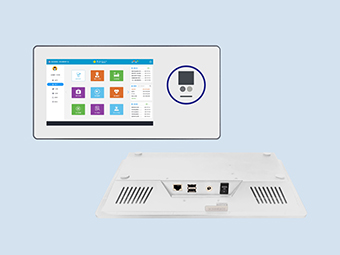
How to maintain and care for the screen of an industrial touchscreen computer, and how to protect it outdoors?
2026-05-30
I. Additional Notes on Screen Cleaning Ipctech industrial displays often have anti-glare and anti-static coatings on their surfaces. Items like alcohol, paper towels, and ordinary cloths can either corrode the coating or leave scratches and lint, thus damaging the screen.
What precautions should be taken when maintaining an industrial display screen?
Preparation: First, turn off the monitor power and unplug the power cord to ensure complete power disconnection. This ensures operational safety and makes it easier to see stains. Prepare a clean, soft microfiber cloth (paper towels and ordinary eyeglass cloths are not recommended as they can scratch the screen), distilled water, or a dedicated LCD screen cleaner that is ammonia-free and alcohol-free.
Initial dust removal: Gently wipe the screen from the center outwards with a dry microfiber cloth to remove surface dust and particles. If dust gets into corners or crevices, do not use sharp objects to pry it out; instead, use a blower to remove the dust.
Cleaning stubborn stains: If there are still stubborn stains such as oil stains or fingerprints, pour a small amount of cleaner/distilled water onto the microfiber cloth, making the cloth slightly damp (never dripping wet). Gently wipe the stains from the center outwards again, without pressing on the screen.
Final drying process: After wiping, if the screen is still slightly damp, gently wipe it again with a clean, dry microfiber cloth. Wait for the liquid to completely evaporate before turning on the device.
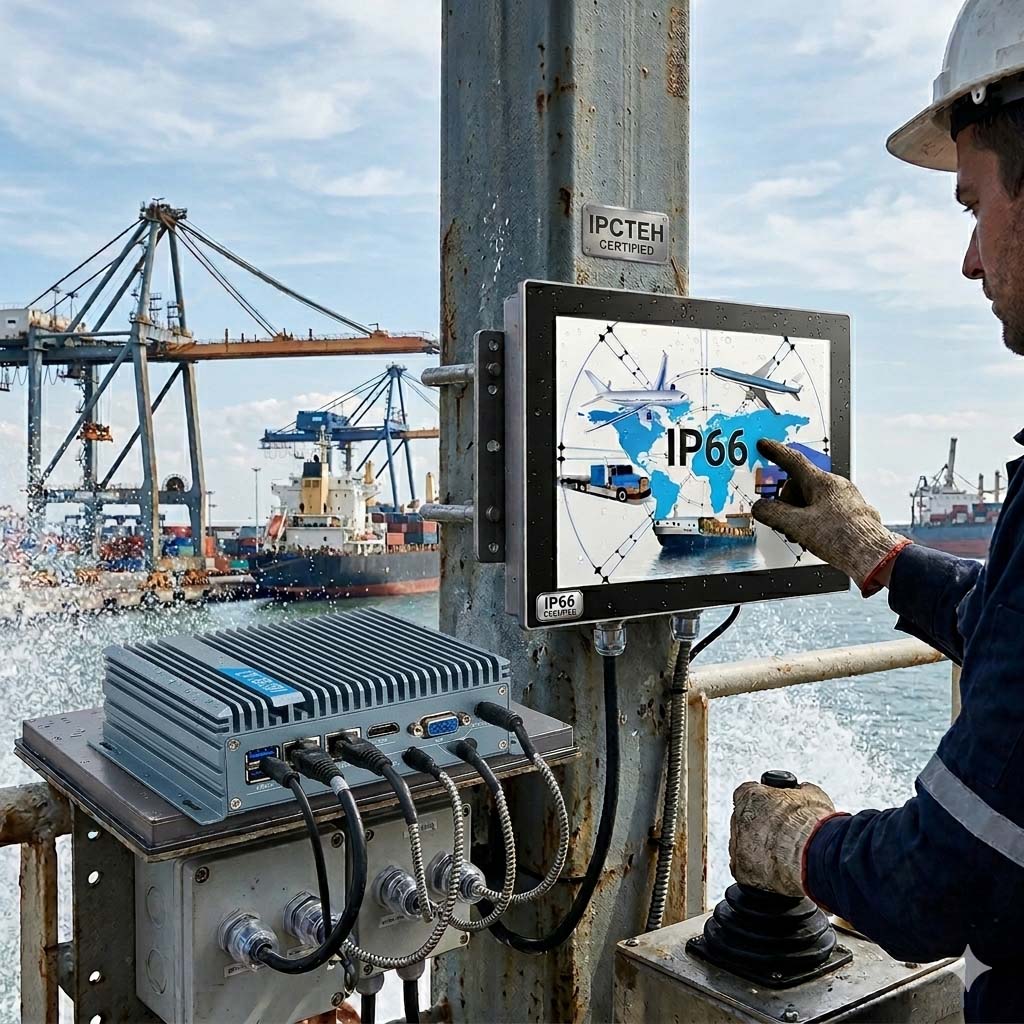
II. Additional Environmental Control Considerations The temperature and humidity ranges for industrial displays vary slightly depending on their specifications. Standard industrial displays are suitable for temperatures ranging from -15℃ to 55℃, with storage temperatures as low as -20℃. Maintaining a daily usage temperature between 10-35℃ will better extend their lifespan. If the ambient humidity exceeds 80%, condensation can easily form inside the display, causing components to rust and short-circuit. Displays that are not used for extended periods should be periodically powered on to allow the heat generated during operation to dissipate moisture. For heavy industrial environments with high dust, oil, and vibration levels, further reductions in wear and tear can be achieved by upgrading the protection level (e.g., IP69K fully enclosed design), using a nano-oleophobic coating, and employing shock-absorbing brackets.
III. Additional Reminders Regarding Usage
**Do not disassemble the industrial display screen yourself:** Even after being powered off for an extended period, the inverter in the backlight assembly may still carry approximately 1000V of high voltage, which can cause serious personal injury. Troubleshooting and repair must be performed by qualified personnel.
**Furthermore, if the equipment is not in use for a long time, always turn off the monitor power to avoid continuous high brightness, which accelerates screen aging. Displaying a static image for extended periods can also cause pixel overheating, resulting in irreversible damage.
IV. Environmental Protection for Industrial Panel PCs
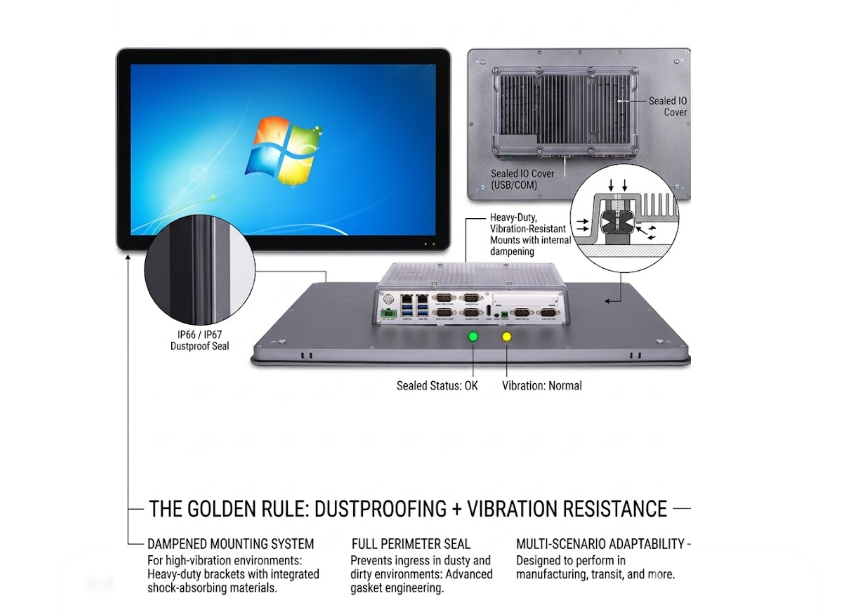
Dust Prevention: Factory environments often contain high levels of particulate matter, which can easily lead to dust accumulation in the chassis, causing internal temperature increases and hardware damage.
For light dust accumulation, regular blowing cleaning can be used. For heavy dust accumulation, install dust filter cloths at the chassis ventilation points and replace them regularly.
Shock Absorption Protection: Vibrations from factory motors can damage hard drives, optical drives, and other devices, leading to decreased read/write capabilities or damage.
Methods to reduce environmental vibration include optimizing equipment layout, using vibration-damping brackets or isolation devices to reduce the impact of vibration on the hardware.
Power Supply Stability: Fluctuations in power supply voltage or power outages can cause problems such as industrial control system restarts and log loss.
A regulated power supply and a UPS (Uninterruptible Power Supply) are required. Equipment selection should be based on load power and battery life requirements to ensure voltage stability.
Comprehensive Maintenance Recommendations
Regular Inspections: Establish a maintenance plan, regularly inspect the cooling system, clean internal dust, and test power supply stability to identify potential problems proactively.
Operation Training: Provide operators with standardized usage training to prevent hardware damage or data loss due to misoperation.
Environmental Optimization: Maintain a clean, dry, and well-ventilated working environment for industrial panel PCs to minimize the impact of extreme temperatures, humidity levels, and corrosive substances.
What precautions should be taken when maintaining an industrial display screen?
Preparation: First, turn off the monitor power and unplug the power cord to ensure complete power disconnection. This ensures operational safety and makes it easier to see stains. Prepare a clean, soft microfiber cloth (paper towels and ordinary eyeglass cloths are not recommended as they can scratch the screen), distilled water, or a dedicated LCD screen cleaner that is ammonia-free and alcohol-free.
Initial dust removal: Gently wipe the screen from the center outwards with a dry microfiber cloth to remove surface dust and particles. If dust gets into corners or crevices, do not use sharp objects to pry it out; instead, use a blower to remove the dust.
Cleaning stubborn stains: If there are still stubborn stains such as oil stains or fingerprints, pour a small amount of cleaner/distilled water onto the microfiber cloth, making the cloth slightly damp (never dripping wet). Gently wipe the stains from the center outwards again, without pressing on the screen.
Final drying process: After wiping, if the screen is still slightly damp, gently wipe it again with a clean, dry microfiber cloth. Wait for the liquid to completely evaporate before turning on the device.
II. Additional Environmental Control Considerations The temperature and humidity ranges for industrial displays vary slightly depending on their specifications. Standard industrial displays are suitable for temperatures ranging from -15℃ to 55℃, with storage temperatures as low as -20℃. Maintaining a daily usage temperature between 10-35℃ will better extend their lifespan. If the ambient humidity exceeds 80%, condensation can easily form inside the display, causing components to rust and short-circuit. Displays that are not used for extended periods should be periodically powered on to allow the heat generated during operation to dissipate moisture. For heavy industrial environments with high dust, oil, and vibration levels, further reductions in wear and tear can be achieved by upgrading the protection level (e.g., IP69K fully enclosed design), using a nano-oleophobic coating, and employing shock-absorbing brackets.
III. Additional Reminders Regarding Usage
**Do not disassemble the industrial display screen yourself:** Even after being powered off for an extended period, the inverter in the backlight assembly may still carry approximately 1000V of high voltage, which can cause serious personal injury. Troubleshooting and repair must be performed by qualified personnel.
**Furthermore, if the equipment is not in use for a long time, always turn off the monitor power to avoid continuous high brightness, which accelerates screen aging. Displaying a static image for extended periods can also cause pixel overheating, resulting in irreversible damage.
IV. Environmental Protection for Industrial Panel PCs
Dust Prevention: Factory environments often contain high levels of particulate matter, which can easily lead to dust accumulation in the chassis, causing internal temperature increases and hardware damage.
For light dust accumulation, regular blowing cleaning can be used. For heavy dust accumulation, install dust filter cloths at the chassis ventilation points and replace them regularly.
Shock Absorption Protection: Vibrations from factory motors can damage hard drives, optical drives, and other devices, leading to decreased read/write capabilities or damage.
Methods to reduce environmental vibration include optimizing equipment layout, using vibration-damping brackets or isolation devices to reduce the impact of vibration on the hardware.
Power Supply Stability: Fluctuations in power supply voltage or power outages can cause problems such as industrial control system restarts and log loss.
A regulated power supply and a UPS (Uninterruptible Power Supply) are required. Equipment selection should be based on load power and battery life requirements to ensure voltage stability.
Comprehensive Maintenance Recommendations
Regular Inspections: Establish a maintenance plan, regularly inspect the cooling system, clean internal dust, and test power supply stability to identify potential problems proactively.
Operation Training: Provide operators with standardized usage training to prevent hardware damage or data loss due to misoperation.
Environmental Optimization: Maintain a clean, dry, and well-ventilated working environment for industrial panel PCs to minimize the impact of extreme temperatures, humidity levels, and corrosive substances.
Recommended